Ruchi Saree Logo

Secure Payment Gateway

Ruchi Saree - Poshaks.in

SSL Secured
100% Safe Payment
Verified Merchant

Pay via UPI ID

UPI QR Code

Copy any UPI ID below and paste in your UPI app

HDFC UPI
PhonePe UPI
GPay UPI
Paytm UPI

How to pay using PhonePe

  1. Open PhonePe app
  2. Click on "To UPI ID" option
  3. Paste the copied UPI ID
  4. Enter amount and complete payment
PhonePe UPI Instructions

Pay via Mobile Number

UPI QR Code

Use this mobile number in Google Pay or Paytm

Mobile Number

How to pay using Google Pay

  1. Open Google Pay app
  2. Click on "New Payment"
  3. Enter the mobile number: 9414140646
  4. Verify recipient name and complete payment
Google Pay New Payment Google Pay Number Entry

Bank Transfer (NEFT/IMPS)

HDFC Bank Logo

Transfer directly to our bank account

Account Name
Account No.
IFSC Code

Branch: CHOPASANI, JODHPUR

Transfer Type: NEFT or IMPS

Scan QR Code

Click on QR code to download for gallery scan

How to scan QR code

  1. Open any UPI app (Google Pay, PhonePe, Paytm)
  2. Click on "Scan QR" option
  3. Scan the QR code or select from gallery
  4. Enter amount and complete payment

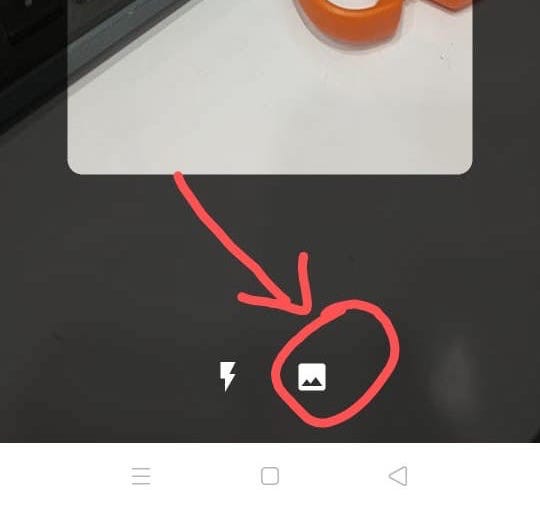
For PhonePe gallery scan:

  1. Download QR image by clicking above
  2. Open PhonePe and select "Scan QR"
  3. Choose "Select from Gallery" option
PhonePe Gallery Scan PhonePe Select QR

Pay by PhonePe/Gpay app

Fastest Method: Click any button below to pay instantly

Alternative: Pay using mobile number

How it works

  1. Click on your preferred payment app button above
  2. When prompted, select "Open" to launch the app
  3. Verify payment details in the app
  4. Enter your UPI PIN to complete payment
Select UPI app